SLI on Sandy Bridge: Performance Review

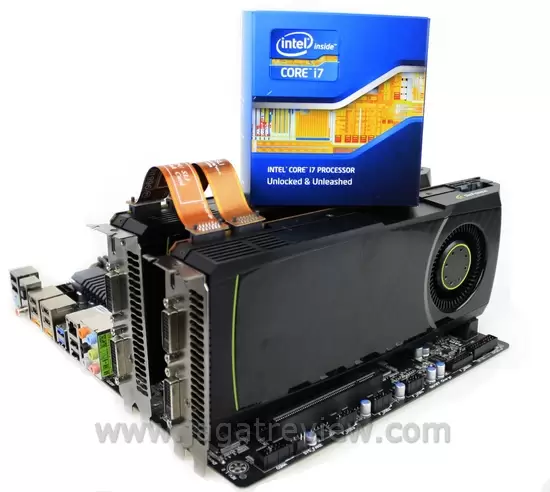
Sandy Bridge brings an awful lot of new things into the desktop computer market. Aside from the change in their characteristics that proves to be appealing to most users but on the other hand might be frustrating for overclockers (read over Sandy Bridge overclocking article to find out why) and the collection of useful new features, in our Sandy Bridge performance review, we also found out that these processors are also remarkably fast compared to older CPUS.
Now, it would be interesting to see how far a Sandy Bridge processor could go when it comes to gaming performance, especially in the resource-demanding, multi-GPU scenarios. That was precisely what we had in mind when we started writing this article. Here, you can see how well would a multi-GPU configuration scale up on a Sandy Bridge system. Our findings are rather interesting, but first, let’s take a look at the inner workings of a Sandy Bridge system.

According to the picture describing its Block Diagram above, a Sandy Bridge processor accepts a maximum bandwidth of 16GB/s from the PCI Express lanes. When two graphics cards are installed (on a P67-based system), that number splits down to 8 GB/s each (lane configuration: 8×8). Compared to Intel’s previous platform, the X58 (socket 1366/ Tylersburg) that supports a maximum PCI-E bandwidth of 32x (in 2x 16 or 4×8 lane configuration), Sandy Bridge’s technical specification is far behind, at least on paper.

However, a closer look reveals a fundamental difference between P67’s (Sandy Bridge) and X58’s basic designs. On the X58, the PCI-Express controller is located on the chipset, while on the Sandy Bridge, that controller resides inside the processor, thus (theoretically) minimizing latency as data won’t need to travel through the chipset before reaching the processor. Still, fact remains that the Sandy Bridge has fewer maximum bandwidth support. Could the integrated PCI-E controller compensate that problem?

Testing Platform
These are the hardware used in our Sandy Bridge multi-GPU test:
- Processor : Intel Core i7 2600K; Intel Core i7 930
- Motherboard : Gigabyte P67A-UD4; Gigabyte X58A-UD3R (X58)
- Graphics card : Reference NVIDIA GeForce GTX 580; Digital Alliance NVIDIA GeForce GTX 580
- Memory : 3×1GB Kingston KHX16000D3T1K3/3GX; 2x2GB G-Skill Perfect Storm
- Storage : Western Digital Caviar Black 500 GB (32 MB Cache)
- Power Supply : Cooler Master Silent Pro Gold 800W
- Heatsink: Gelid Tranquilo
- Monitor : Philips 221E
- Input : Genius (Keyboard and Mouse)
- OS : Windows 7 Ultimate 32-bit
- Driver : Forceware 262.99
In this test, we used a pair of NVIDIA GeForce GTX 580 in SLI configuration on two different systems: a Core i7 930 (overclocked to 4 GHz) on an X58 motherboard, and a Core i7 2600K (running at both default speed and overclocked to 4,6 GHz) on a P67 motherboard. We restricted the overclocking to a “safe” limit that should be fine for daily usage. “Safe” here means that we’re not pumping excessive voltage into the processor. For a complete guide on how to overclock a Sandy Bridge processor, you can read our article here.
Simply increasing the voltage to 1,35V is enough to bump up the Core i7 2600K to 4,8 GHz, but we did find a strange glitch. The exact same system won’t operate normally (unstable) with two graphics card installed and running in SLI mode. It appears that you will need more voltage to increase the stability when applying overclocking on a Sandy Bridge system with a multi-GPU solution installed. The specific parameter you need to adjust is the System Agent Voltage . Later on, we decided to lower the clockspeed and voltage down to 4,6 GHz and 1,3V, respectively. This configuration allows for a stable condition without requiring an increase to the System Agent Voltage.

The P67 motherboard in our disposal is the P67A-UD4 from Gigabyte that natively supports SLI and Crossfire multi-GPU configurations.
More Articles